
wpMula vs. MultilingualPress: How do the two WordPress translation plugins differ?
You're looking for a plugin to translate WordPress or make it multilingual. Both wpMula and MultilingualPress use WordPress Multisite, so that each language has its own site within the CMS. This way, language versions remain separate, and you can easily manage everything within WordPress.
The foundation is the same and is rock-solid in both cases. What are the differences?
Be sure to compare how easy it is to turn your existing site into a multisite and how you can translate the content. And find out how you'll be able to manage five or ten languages in the future, and what the costs will be. Those are the main differences between wpMula and MultilingualPress.
The same strong technical foundation
MultilingualPress is a comprehensive solution for multilingual WordPress Multisites. That works, but wpMula shows that it can be done more concisely. With our tool, you can make the most of what WordPress already offers, so you only need to add what’s necessary to easily make your site multilingual.
You'll notice that difference both during installation and in day-to-day management. This is important because, ultimately, you want to spend as little time as possible dealing with the translation plugin itself. It has to be about the content.
wpMula
MultilingualPress
What does that mean for you?
Technical Foundation
wpMula
WordPress Multisite
MultilingualPress
WordPress Multisite
What does that mean for you?
You maintain a separate WordPress site for each language
Installing Multisite
wpMula
From wpMula with a single click
MultilingualPress
Multisite must be set up in advance
What does that mean for you?
With wpMula, you don't have to edit WordPress files yourself
Automatic Translation
wpMula
O.a. DeepL, OpenAI, Gemini, and Claude
MultilingualPress
O.a. DeepL and Amazon Translate
What does that mean for you?
You can automate both, but the range of translation services varies
Bulk Translation
wpMula
Translate existing content and taxonomies in bulk as well
MultilingualPress
Bulk translation when creating a new language site; Existing content can be translated individually
What does that mean for you?
A bulk workflow can save time, especially for an existing or large site
Translating Fixed Texts
wpMula
Built-in String Translations
MultilingualPress
Different workflow for static text
What does that mean for you?
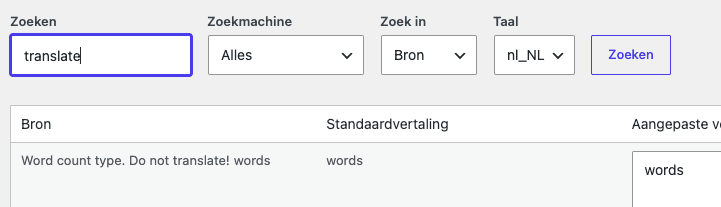
You can look up and translate text from themes and plugins, for example, within wpMula
Number of languages
wpMula
Unlimited within each license
MultilingualPress
Depending on the license
What does that mean for you?
An additional language may increase costs at MultilingualPress, but at wpMula it's free
Starting price
wpMula
€49 (excl.) VAT per year
MultilingualPress
€149 incl. VAT per year for two languages
What does that mean for you?
The price difference is particularly significant when multiple languages are involved
Give it a try
wpMula
30 days free on your own website
MultilingualPress
Online demo and 30-day money-back guarantee
What does that mean for you?
With wpMula, you can test the plugin in your own environment first
Switch from WordPress to multisite with a single click
Do you use MultilingualPress? First, you’ll need to set up WordPress Multisite yourself. If you have a standard WordPress installation, you’ll need to convert it. To do this, you’ll need to set up FTP access and make changes to wp-config.php and .htaccess.
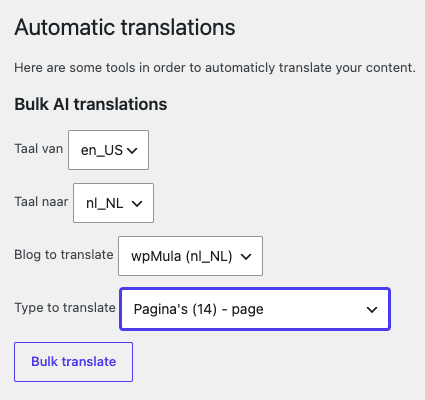
wpMula makes that easier for you. Install the plugin, activate your license, and then from within WordPress, you can use one Click to convert your existing installation to Multisite.
More Flexible and Easier with wpMula
wpMula makes the most important tasks more flexible and easier. That way, you can start small and then scale up significantly. In addition, you can easily translate text from your theme, plugins, buttons, notifications, and other fixed elements.
For a single page or everything in bulk
Would you like to translate a single post, page, or category? Or everything at once in bulk? This even works for taxonomies and terms, giving you maximum flexibility. Tip: For automatic translations, connect wpMula to DeepL, OpenAI, Gemini, or Claude (MultilingualPress supports DeepL, OpenAI, and Amazon Translate).
Lightweight plugin with clean code
Too many plugins, or plugins that are too heavy, can unnecessarily slow down websites, causing performance to decline and visitors to leave. wpMula was deliberately developed as a lightweight plugin. The plugin ZIP file is only 1.3 MB (compared to 4.4 MB for MultilingualPress). Thanks to clean code, there’s as little as possible standing between WordPress and your website.
String Translations Without Searching Through the Code
Search for text in themes, plugins, buttons, notifications, and other fixed elements directly from WordPress. Select the language and add the translation using String Translations. Without having to search through the code.
Compare the prices of wpMula and MultilingualPress
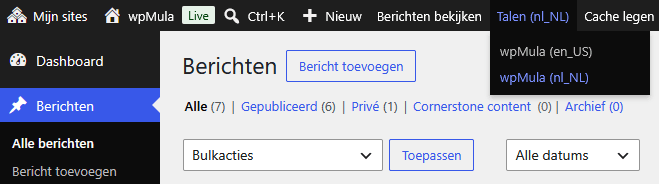 Do you translate from Dutch to English, or also to German, French, Spanish, and Italian? wpMula houdt je Multisite heel overzichtelijk en geeft in de backend steeds aan met welke taal je werkt
Daarvoor betaal je niets extra, omdat je per licentie zoveel talen kunt toevoegen als je wilt. One site costs €49 (excl. (P.S.) per year; three websites cost €89 per year and for €149 You can use wpMula on an unlimited number of websites.
This is especially more cost-effective when dealing with multiple languages, because with MultilingualPress €149 pays for two languages, up to €1.499 per year for an unlimited number of languages.
Would you like to add French, Spanish, Polish, or Italian next year?
With wpMula, you can do that under the same license. At no extra cost.
Other blogs

wpMula vs. MultilingualPress
Dezelfde Multisite-basis: hoe verschillen de twee vertaalplugins. Vergelijk de prijs, functies en handige extra’s.

AI or Translation Agency? Pros and Cons at a Glance
Will you choose AI or a translation agency? Pros and cons at a glance.

A practical guide to WordPress String Translations
Localization is essential for a multilingual site.